Toyota VIN Decoder

Where is the VSC Button on Toyota? Find It and Stay Safe

Find the VSC button on your Toyota. Learn what it does and when to use it. Stay safe on the road. Vehicle Stability Control explained.
6 min readUpdated May 2024By Ethan J. Caldwell
Where is the VSC Button on Toyota? Find It and Stay Safe

Where is the VSC Button on Toyota?

Do you want to know where is the VSC button on Toyota? You're in the right place. This guide helps you find it. We'll also explore what it does. Plus, we'll cover when you should use it. Knowing this button can help you stay safe.

The VSC system helps you control your car. It keeps you on the right path. But, sometimes you may need to turn it off. Let's find out how.

What is Vehicle Stability Control (VSC)?

VSC stands for Vehicle Stability Control. It’s a safety feature in your Toyota. It helps prevent skidding. The system uses sensors. These sensors monitor your car’s movement. It compares what you're doing. It compares that to where you're going.

VSC steps in if it senses a problem. It can apply brakes to individual wheels. It can also reduce engine power. This helps you stay in control. The goal is to keep your car stable.

If you want to know more about your car’s features, search your vehicle’s build sheet by VIN.

Where to Find the VSC Button in Your Toyota

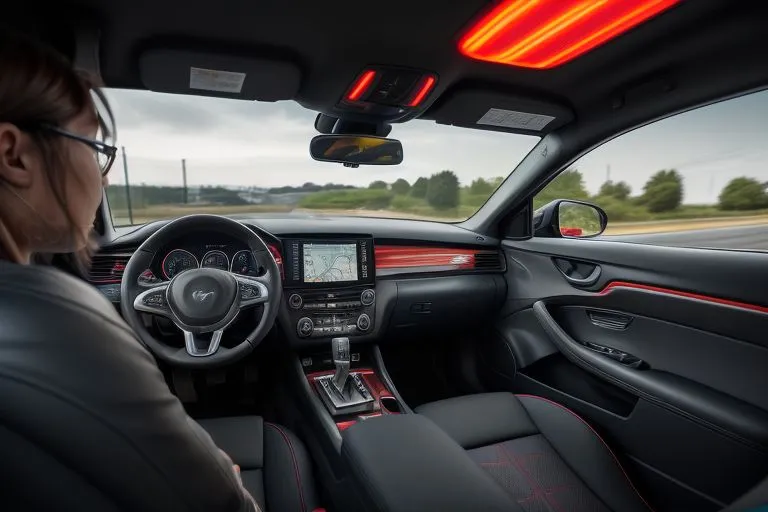
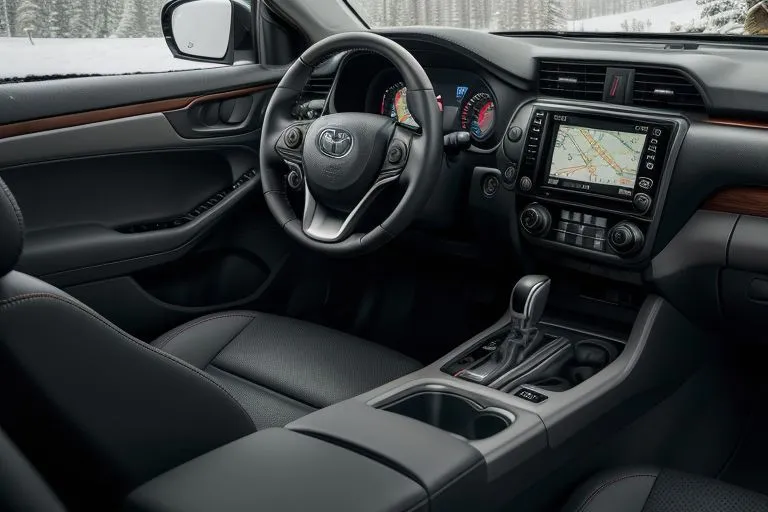
The VSC button location varies. It depends on your Toyota model. It’s usually on the dashboard. It's near the driver. Look for a button with a car symbol. It will have squiggly lines under it. That's the VSC button. It could be near the steering wheel. Sometimes, it’s close to the gear shift. If you cannot find the button, then your Toyota may not have a VSC button. Instead, it is always on.

Here are some common locations:

  • Dashboard: This is the most common place. Look to the left of the steering wheel. Look near the cruise control buttons.
  • Center Console: In some models, it is in the center console. It is near the gear shift.

If you still can't find it, check your owner's manual. It has specific information. You can also search online by your car’s model. That will show you where the button is.

Do All Toyotas Have a VSC Button?

Not all Toyotas have a VSC button. Some systems are always active. This is a safety feature. VSC is always working. You can’t turn it off. Newer models may have this design. Some older models have the button. If you have the button, it’s important to know when to use it. If you want to learn more about your car, check the options by VIN.

When to Turn Off VSC

The VSC system is helpful. However, there are times to turn it off. Here are some situations.

  • Stuck in Mud or Snow: VSC can limit wheel spin. This can stop you from getting unstuck. Turning it off can help you.
  • Off-Road Driving: When off-road, you want more control. VSC might interfere. Turning it off can help you.
  • Drifting: If you are an experienced driver. You may want to drift. VSC will prevent this. Turning it off lets you drift.

Remember, only turn off VSC in these situations. Always turn it back on when safe.

How to Turn Off the VSC Button

Turning off VSC is easy. Find the VSC button in your Toyota. Press and hold the button. You will see a light on the dashboard. This light tells you VSC is off. The light looks like a car. It has squiggly lines under it. The light may also say “VSC OFF.”

To turn VSC back on, press the button again. The light will turn off. VSC is active again. If you need help with your car, get a window sticker.

Is It Safe to Drive with VSC Off?

Driving with VSC off can be riskier. VSC helps prevent accidents. It reduces the chance of skidding. If you turn it off, be careful. Only do so when necessary. Always turn it back on in normal driving conditions. Safety should always be your top priority. Make sure you know your car’s specs by VIN.

What if the VSC Light Stays On?

If the VSC light stays on, there's a problem. It could mean the system is off. The light might be a warning. It could also mean there's a malfunction. Here’s what you should do:

  • Check the Button: Make sure you didn't accidentally turn it off. Press the button to see if it turns back on.
  • Restart Your Car: Sometimes, a simple restart fixes the issue. Turn off your car and wait. Then, start it again.
  • Check for Other Warning Lights: Other lights could indicate a problem. Check your dashboard for other lights. These could include the check engine light.
  • Get It Checked: If the light stays on, see a mechanic. There could be a serious issue. A mechanic can diagnose the problem. They can also fix it.

Ignoring this light can be dangerous. Fix the problem quickly. Don’t wait until it's too late.

VSC and Other Toyota Safety Features

Toyota cars have other safety features. These features work with VSC. They help keep you safe. Here are some examples:

  • Anti-lock Braking System (ABS): ABS prevents your wheels from locking up. This happens when you brake suddenly. ABS helps you steer in an emergency.
  • Traction Control System (TRAC): TRAC stops wheel spin. It works with VSC. This helps you accelerate safely.
  • Electronic Brakeforce Distribution (EBD): EBD adjusts braking force. It sends more braking power to the wheels. This happens if they need it.
  • Brake Assist (BA): BA gives you extra braking power in an emergency.

These features work together. They make your car safer. Make sure you understand these features. Make sure you also know how they work.

Understanding the VSC Light

The VSC light is an important indicator. It tells you about the system’s status. Here’s what the different lights mean:

  • VSC Light On: This means the system is active. It's working to stabilize your car. This is normal.
  • VSC Light Flashing: This means the system is intervening. It's trying to correct a skid. It's working to keep you safe.
  • VSC Light On (Continuously): This means there's a problem. VSC may be off. There may be a system malfunction. You should check the VSC button. If the light stays on, see a mechanic.

Knowing the meaning of these lights is crucial. It helps you react correctly.

Where to Find Your Toyota's User Manual

Your Toyota's user manual has important information. It tells you about your car’s features. It tells you about the VSC system. Here’s how to find it:

  • In Your Glove Box: Most cars have a manual in the glove box. It's a great resource.
  • Online: Toyota offers manuals online. You can download it from their website.
  • Toyota Dealership: If you can't find it, ask a dealership. They can help.

Read your manual. It answers many questions. It can help you use your car safely.

Frequently Asked Questions

VIN Lookup

Pull the real history behind any car — recalls, title brands, odometer trail.

0
Try a sample:Try:

Frequently Asked Questions

A VIN, or Vehicle Identification Number, is a unique 17-digit code that acts as a serial number for every vehicle, allowing for its identification and tracking. It contains crucial information about the vehicle, including its manufacturer, model year, and specifications.

The VIN is essential for accurately identifying a vehicle, accessing its history, specifications, and recalls, and preventing fraud and theft. It serves as a universal identifier recognized by authorities, insurers, and consumers.

To decode a VIN, you can use a free VIN decoder tool available on our website. Simply input the VIN number, and the decoder will provide detailed information about the vehicle, including its make, model, engine type, and more.

Using a free VIN decoder, you can obtain information such as the vehicle's manufacturer, model year, specifications, accident history, maintenance records, and any outstanding recalls.

No! Our VIN decoder is completely free, allowing you to access vital vehicle information without any fees.

Our VIN decoder sources data from reliable databases to ensure the information is accurate and up-to-date, helping you make informed decisions about vehicle purchases.

Our VIN decoder primarily focuses on vehicles registered in the United States, but it may also provide information for some international vehicles, depending on the VIN structure.

If you notice discrepancies between the VIN information and the vehicle, it's advisable to consult a professional mechanic or contact the manufacturer to verify the vehicle's details.

When choosing a VIN decoder, look for reliability, comprehensiveness, user-friendly interfaces, and features such as access to vehicle history, maintenance records, and authenticity verification.

Yes, there are several popular VIN decoder tools available online, each offering unique features and functionalities. Some of these tools provide extensive databases and support for various vehicle types, from cars to motorcycles.