Reset Maintenance Light Toyota 4Runner: Simple Steps
Need to reset the maintenance light on your Toyota 4Runner? This guide gives you easy-to-follow instructions. Learn how to clear the light quickly.
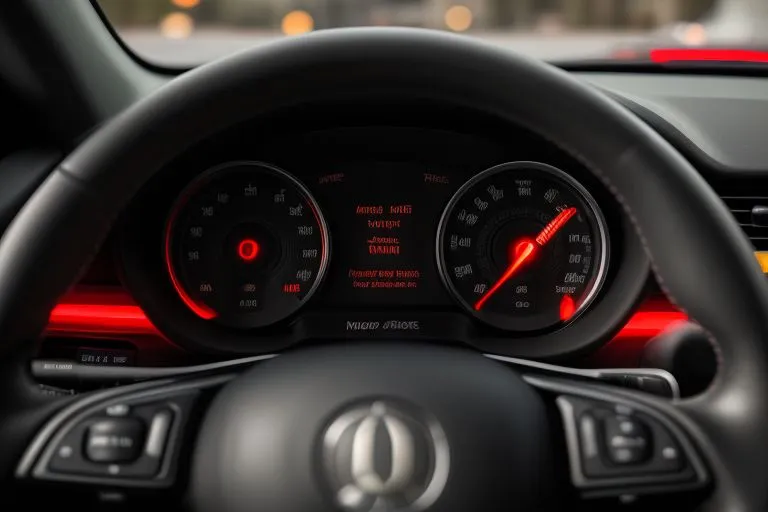
Reset Maintenance Light Toyota 4Runner: A Quick Guide
Is your Toyota 4Runner's maintenance light on? Don't worry. It's a common issue. This light reminds you to service your car. It's time to reset the maintenance light Toyota 4Runner. This guide shows you how.
We'll walk you through the steps. You'll learn how to turn off the light. It's easy to do. Get ready to maintain your 4Runner.
Why Does the Maintenance Light Come On?
The maintenance light is a friendly reminder. It pops on when your 4Runner needs service. This could be for an oil change. It could be for tire rotation. Or it might be for other routine checks.
The light helps you stay on schedule. It ensures your 4Runner runs smoothly. Regular maintenance keeps your car in good shape. This also helps avoid costly repairs down the road.
Want to know your car's service history? Use our Build Sheet by VIN tool. Check your car's build information with the VIN.
Tools You'll Need
You don't need many tools for this job. Here's what you'll need:
- Your Toyota 4Runner
- The key to start the car
- A few minutes of your time
That's it. You're ready to go.
How to Reset Maintenance Light Toyota 4Runner (2010-2024 Models)
Here's how to reset the maintenance light on your 4Runner. These steps work for many model years.
- Step 1: Put the key in the ignition. Turn it to the “ON” position. But don't start the engine.
- Step 2: Find the trip meter reset button. It's usually near the odometer. Press and hold it.
- Step 3: While holding the trip meter reset button, also press and hold the odometer button.
- Step 4: Keep holding both buttons. Wait until the maintenance light flashes. It may beep too. Then it will turn off.
- Step 5: Release the buttons.
- Step 6: Start your engine.
- Step 7: If the light is still on, repeat these steps.
If the light doesn't turn off, try again. Make sure you follow each step. If it still doesn't work, your 4Runner may need service.
Reset Maintenance Light Toyota 4Runner (Older Models)
For older 4Runner models, the process may be different. Check your owner's manual. It has the exact steps for your car.
You might also find help online. Many forums and videos show you how. Search for your 4Runner's year and model.
Troubleshooting Tips for Resetting the Light
Sometimes, the light doesn't reset right away. Here are a few troubleshooting tips:
- Make sure your car is off. Then turn it to the “ON” position. But don't start it.
- Press and hold the buttons firmly. Sometimes, a light press isn't enough.
- Wait a few seconds. The light might take a moment to reset.
- Check your owner's manual. It has specific instructions.
- If all else fails, your car might need service.
Decode Your Toyota VIN Free

Why You Should Reset the Maintenance Light
Resetting the light has a few benefits. It clears the reminder. It lets you know your service is complete. It helps you stay on track with your car's needs. Don't ignore the light. Ignoring it can lead to problems.
If you’re looking for details on your car, check out our specs by VIN tool. It’s a quick way to find out key details.
Tips for Maintaining Your Toyota 4Runner
Keep your 4Runner in top shape. Here are some maintenance tips:
- Follow the service schedule. Your owner's manual has a schedule.
- Get regular oil changes. This keeps the engine healthy.
- Check your tires. Make sure they have the right pressure.
- Inspect your brakes. Ensure they work properly.
- Replace fluids as needed. This includes coolant and brake fluid.
Regular maintenance prevents issues. It also extends your car’s life.
Understanding Your Toyota 4Runner's VIN
Your 4Runner's VIN is like its fingerprint. It holds a lot of information. You can decode your VIN. This can reveal your car's history.
You can also find the paint code with a VIN. It helps with touch-ups and repairs. Get paint code details with our Paint Code by VIN tool.
Where to Find Your Toyota 4Runner's VIN
You can find the VIN in a few places. Look for it on the driver's side dashboard. It is visible through the windshield. You can also find it on your car's registration.
You might also find it on the driver's side doorjamb. It's usually on a sticker. Knowing your VIN is very helpful. It's great for looking up your car's information.
For instance, you can check the options of your 4Runner. Use our Options by VIN tool. Know what features your car has.
Using Your VIN to Your Advantage
Your VIN unlocks a wealth of info. You can use it to get:
- Your 4Runner's build sheet. This is a detailed report on your car. Find it with our Build Sheet by VIN tool.
- Your car's window sticker. See the original features and price. Get your window sticker with our Window Sticker tool.
- An unlimited VIN report. This report gives you a complete vehicle history. It's useful for buying a used car. Get it with our Unlimited VIN Reports.
Your VIN is a powerful tool. Use it to get the most from your 4Runner. It's key for upkeep and knowing your car.
Stay Up-to-Date on Your Toyota 4Runner
Keeping up with your 4Runner's maintenance is key. This guide helps you reset the maintenance light. It also offers tips for care.
Regular maintenance keeps your car running well. It also helps it last longer. Use your VIN to get more info. It helps you keep your 4Runner in great shape.
- Reset Maintenance Light Toyota 4Runner: A Quick Guide
- Why Does the Maintenance Light Come On?
- Tools You'll Need
- How to Reset Maintenance Light Toyota 4Runner (2010-2024 Models)
- Troubleshooting Tips for Resetting the Light
- Why You Should Reset the Maintenance Light
- Tips for Maintaining Your Toyota 4Runner
- Understanding Your Toyota 4Runner's VIN
- Where to Find Your Toyota 4Runner's VIN
- Using Your VIN to Your Advantage
- Stay Up-to-Date on Your Toyota 4Runner
Pull the real history behind any car — recalls, title brands, odometer trail.
Frequently Asked Questions
A VIN, or Vehicle Identification Number, is a unique 17-digit code that acts as a serial number for every vehicle, allowing for its identification and tracking. It contains crucial information about the vehicle, including its manufacturer, model year, and specifications.
The VIN is essential for accurately identifying a vehicle, accessing its history, specifications, and recalls, and preventing fraud and theft. It serves as a universal identifier recognized by authorities, insurers, and consumers.
To decode a VIN, you can use a free VIN decoder tool available on our website. Simply input the VIN number, and the decoder will provide detailed information about the vehicle, including its make, model, engine type, and more.
Using a free VIN decoder, you can obtain information such as the vehicle's manufacturer, model year, specifications, accident history, maintenance records, and any outstanding recalls.
No! Our VIN decoder is completely free, allowing you to access vital vehicle information without any fees.
Our VIN decoder sources data from reliable databases to ensure the information is accurate and up-to-date, helping you make informed decisions about vehicle purchases.
Our VIN decoder primarily focuses on vehicles registered in the United States, but it may also provide information for some international vehicles, depending on the VIN structure.
If you notice discrepancies between the VIN information and the vehicle, it's advisable to consult a professional mechanic or contact the manufacturer to verify the vehicle's details.
When choosing a VIN decoder, look for reliability, comprehensiveness, user-friendly interfaces, and features such as access to vehicle history, maintenance records, and authenticity verification.
Yes, there are several popular VIN decoder tools available online, each offering unique features and functionalities. Some of these tools provide extensive databases and support for various vehicle types, from cars to motorcycles.
Related Guides

Where Are Toyota Tundras Made? Tundra Manufacturing Locations | Toyota Vin Decoder
Find out where Toyota Tundras are made. Learn about the Tundra's manufacturing plants, production history, and its American-made roots. Get your VIN report now!

What Does LE Stand For Toyota? Trim Level Guide & VIN Decoder
Uncover the meaning of Toyota LE trim levels. Discover features, compare trims, and decode your VIN. Learn about SE, XLE, and more. Get the details here!

Toyota Transmission Fluid Change: Timing, Cost & Instructions
Need to change your Toyota transmission fluid? Find out how often, what it costs, and how to do it. Get the best advice and keep your Toyota running smoothly.

Grinding Noise When Accelerating: Causes & Solutions | Toyota VIN Decoder
Experiencing a grinding noise when accelerating? This guide explains common causes like wheel bearings, brakes, and more. Get expert advice and solutions for your car.
Bank 1 Sensor 2 Upstream or Downstream? Location & Function
Demystifying Bank 1 Sensor 2. Is it upstream or downstream? Find out the exact location, what it does, and how to troubleshoot problems. Get insights and resources for your Toyota at ToyotaVinDecoder.com.

Modded Toyota Camry: Customization, Mods, and Styling Guide
Discover the best modded Toyota Camry ideas! Learn about performance upgrades, styling, and customization. Find inspiration for your own Camry mods.