How to Reset Maintenance Light on Toyota Tundra: A Step-by-Step Guide
Learn how to reset the maintenance light on your Toyota Tundra. Follow our easy steps to keep your truck running smoothly. Get back on the road today!
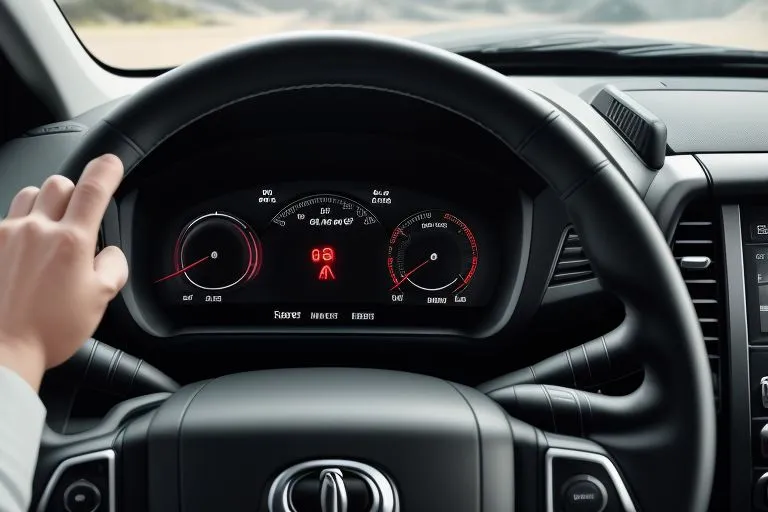
Introduction: Why Reset Your Toyota Tundra's Maintenance Light?
Is your Toyota Tundra's maintenance light on? Don't worry. It’s a common issue. This light reminds you of needed service. Learn how to reset maintenance light on Toyota Tundra here. We make it easy.
Ignoring this light can lead to bigger problems. Regular maintenance keeps your Tundra running well. This guide shows you how to reset the light. It's easy to do.
We will also provide insight into the reason this light comes on. Understanding this can help with your truck's upkeep.
Understanding the Toyota Tundra Maintenance Light
The maintenance light is a friendly reminder. It tells you when service is due. Toyota sets it to come on after a certain time or mileage.
This light doesn’t mean something is broken. It means it’s time for regular care. Things like oil changes and tire rotations.
Different Tundra models have slightly different systems. However, the process is simple across the board. Let's look at the main steps.
Steps to Reset Maintenance Light on Toyota Tundra (Pre-2018 Models)
Toyota Tundras before 2018 have a simple reset method. Follow these steps:
- Turn the ignition key to the “ON” position. Do not start the engine.
- Use the trip meter button. Find the odometer display.
- Turn the ignition off.
- Press and hold the trip meter reset button.
- Turn the ignition back to “ON” while holding the button.
- Keep holding the button until the odometer reads zero.
- Release the button. The maintenance light should now be off.
It's usually easy. But if it doesn't work, try again. Make sure you follow the steps correctly. Still having issues? Get your vehicle's history. Check your service records. See what’s due. You can do this with a VIN report.
How to Reset Maintenance Light on Toyota Tundra (2018 and Later Models)
Newer Tundras use a similar process. But there might be some differences. Follow these steps:
- Turn the ignition to the “ON” position. Do not start the engine.
- Use the steering wheel controls. Navigate to the information display.
- Use the arrow buttons to find the “Settings” menu.
- Look for “Maintenance” or “Vehicle Settings.”
- Select “Maintenance Reset.”
- Confirm the reset when prompted.
- The maintenance light should turn off.
The exact menu names may vary slightly. Check your owner’s manual if needed. It will have exact instructions for your Tundra.
Why Does the Maintenance Light Come On?
The maintenance light is usually triggered by two things:
- Time: Based on the date of the last service.
- Mileage: After driving a certain number of miles.
Your Toyota Tundra's computer tracks this. It then alerts you when service is due. This is a good reminder to keep your truck in top shape. Staying on top of the maintenance schedule. This can prevent many issues. It will also maintain the value of your truck. You can also use your build sheet to view all the features.
What to Do if the Light Stays On?
Sometimes, the light might not reset right away. Here’s what to do:
- Double-check the steps: Make sure you followed each step correctly.
- Try again: Repeat the process. Sometimes it takes a couple of tries.
- Check the owner’s manual: Your manual has specific instructions.
- Get professional help: If it still doesn’t work, visit a mechanic.
If the light stays on, there might be a problem. Get your Tundra checked out by a professional. Don’t put off needed repairs.
Decode Your Toyota VIN Free
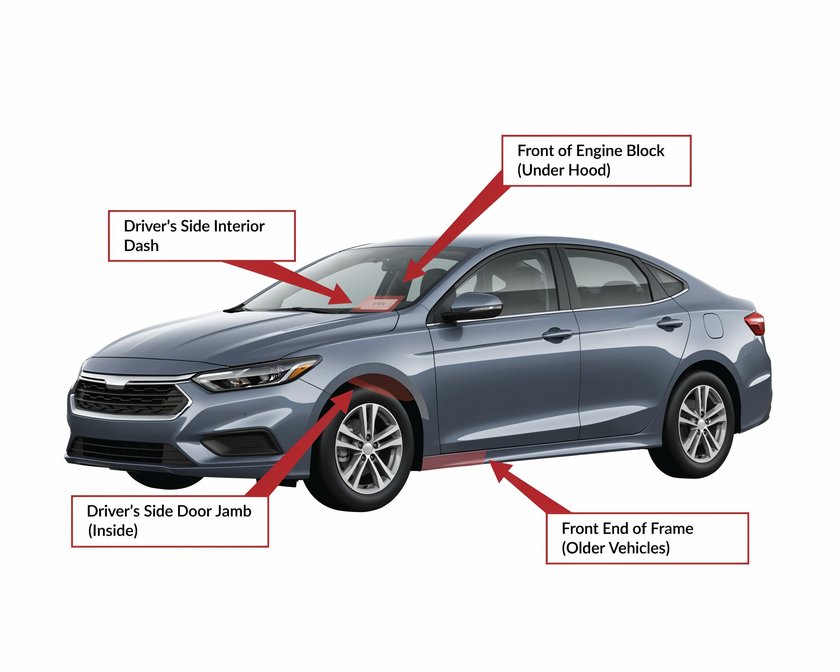
Maintenance Light vs. Check Engine Light: What's the Difference?
It’s important to know the difference. These two lights are not the same:
- Maintenance Light: Reminds you of scheduled service.
- Check Engine Light: Indicates a problem with the engine.
If the check engine light is on, have it checked quickly. This could be a serious issue. The maintenance light is a reminder. The check engine light warns of a problem.
How Long Can You Drive with the Maintenance Light On?
You can usually drive for a short time. However, it's best to get it fixed fast. The light warns of needed maintenance.
Schedule your service soon. Ignoring the light can lead to problems. Regular service helps your Tundra last.
Why Regular Maintenance Matters for Your Toyota Tundra
Regular maintenance keeps your truck healthy. It includes oil changes, tire rotations, and more. This keeps your Tundra running well.
Regular maintenance can:
- Improve performance.
- Increase fuel efficiency.
- Extend your truck's life.
- Maintain your truck's value.
Following the maintenance schedule is a smart move. Check your window sticker for the service schedule.
Troubleshooting Common Issues With the Maintenance Light
Sometimes, you might face a few hiccups. Here’s how to solve them:
- Incorrect steps: Read the steps carefully. Make sure you don’t miss anything.
- Low battery: A weak battery can cause problems. Make sure your battery is good.
- System errors: Sometimes, the system has glitches. Try resetting again.
If the problem persists, take your Tundra to a mechanic. They can diagnose the problem.
Find the Right Maintenance Schedule for Your Tundra
The maintenance schedule varies by model year. It also depends on your driving conditions.
Here are the key things to know:
- Owner’s manual: Your manual has the right schedule.
- Toyota’s website: You can find schedules online.
- Your mechanic: They can help you make a plan.
Use this information to maintain your Tundra. Get a VIN report for detailed specs.
Benefits of Using a VIN Decoder for Your Toyota Tundra
A VIN decoder is a great tool. It helps you learn about your truck. It will give you all the information you need. This includes:
- Vehicle history: Find out about past issues.
- Specifications: Learn about your truck's features.
- Maintenance records: Track your truck's service history.
A VIN decoder can save you time. It helps you make smart decisions about your truck. Also you can learn your Toyota's paint code.
Conclusion: Keeping Your Toyota Tundra in Top Shape
Knowing how to reset maintenance light on Toyota Tundra is useful. This is just one part of truck care.
Regular maintenance is key. Follow the steps. Keep your truck running well. Your Tundra will last for years.
Don't forget to check your specs by VIN for detailed information.
- Introduction: Why Reset Your Toyota Tundra's Maintenance Light?
- Understanding the Toyota Tundra Maintenance Light
- Steps to Reset Maintenance Light on Toyota Tundra (Pre-2018 Models)
- How to Reset Maintenance Light on Toyota Tundra (2018 and Later Models)
- Why Does the Maintenance Light Come On?
- What to Do if the Light Stays On?
- Maintenance Light vs. Check Engine Light: What's the Difference?
- How Long Can You Drive with the Maintenance Light On?
- Why Regular Maintenance Matters for Your Toyota Tundra
- Troubleshooting Common Issues With the Maintenance Light
- Find the Right Maintenance Schedule for Your Tundra
- Benefits of Using a VIN Decoder for Your Toyota Tundra
- Conclusion: Keeping Your Toyota Tundra in Top Shape
Pull the real history behind any car — recalls, title brands, odometer trail.
Frequently Asked Questions
A VIN, or Vehicle Identification Number, is a unique 17-digit code that acts as a serial number for every vehicle, allowing for its identification and tracking. It contains crucial information about the vehicle, including its manufacturer, model year, and specifications.
The VIN is essential for accurately identifying a vehicle, accessing its history, specifications, and recalls, and preventing fraud and theft. It serves as a universal identifier recognized by authorities, insurers, and consumers.
To decode a VIN, you can use a free VIN decoder tool available on our website. Simply input the VIN number, and the decoder will provide detailed information about the vehicle, including its make, model, engine type, and more.
Using a free VIN decoder, you can obtain information such as the vehicle's manufacturer, model year, specifications, accident history, maintenance records, and any outstanding recalls.
No! Our VIN decoder is completely free, allowing you to access vital vehicle information without any fees.
Our VIN decoder sources data from reliable databases to ensure the information is accurate and up-to-date, helping you make informed decisions about vehicle purchases.
Our VIN decoder primarily focuses on vehicles registered in the United States, but it may also provide information for some international vehicles, depending on the VIN structure.
If you notice discrepancies between the VIN information and the vehicle, it's advisable to consult a professional mechanic or contact the manufacturer to verify the vehicle's details.
When choosing a VIN decoder, look for reliability, comprehensiveness, user-friendly interfaces, and features such as access to vehicle history, maintenance records, and authenticity verification.
Yes, there are several popular VIN decoder tools available online, each offering unique features and functionalities. Some of these tools provide extensive databases and support for various vehicle types, from cars to motorcycles.
Related Guides

Where Are Toyota Tundras Made? Tundra Manufacturing Locations | Toyota Vin Decoder
Find out where Toyota Tundras are made. Learn about the Tundra's manufacturing plants, production history, and its American-made roots. Get your VIN report now!

What Does LE Stand For Toyota? Trim Level Guide & VIN Decoder
Uncover the meaning of Toyota LE trim levels. Discover features, compare trims, and decode your VIN. Learn about SE, XLE, and more. Get the details here!
Toyota Transmission Fluid Change: Timing, Cost & Instructions
Need to change your Toyota transmission fluid? Find out how often, what it costs, and how to do it. Get the best advice and keep your Toyota running smoothly.
Grinding Noise When Accelerating: Causes & Solutions | Toyota VIN Decoder
Experiencing a grinding noise when accelerating? This guide explains common causes like wheel bearings, brakes, and more. Get expert advice and solutions for your car.
Bank 1 Sensor 2 Upstream or Downstream? Location & Function
Demystifying Bank 1 Sensor 2. Is it upstream or downstream? Find out the exact location, what it does, and how to troubleshoot problems. Get insights and resources for your Toyota at ToyotaVinDecoder.com.

Modded Toyota Camry: Customization, Mods, and Styling Guide
Discover the best modded Toyota Camry ideas! Learn about performance upgrades, styling, and customization. Find inspiration for your own Camry mods.